

Mail connects one or more Gmail accounts, syncs every thread into Subspace’s own schema, and gives you a fast, keyboard-driven inbox to read and reply from without ever leaving the app. Every message it ingests also feeds the rest of the system: the search index, CRM auto-create, and mail rules.
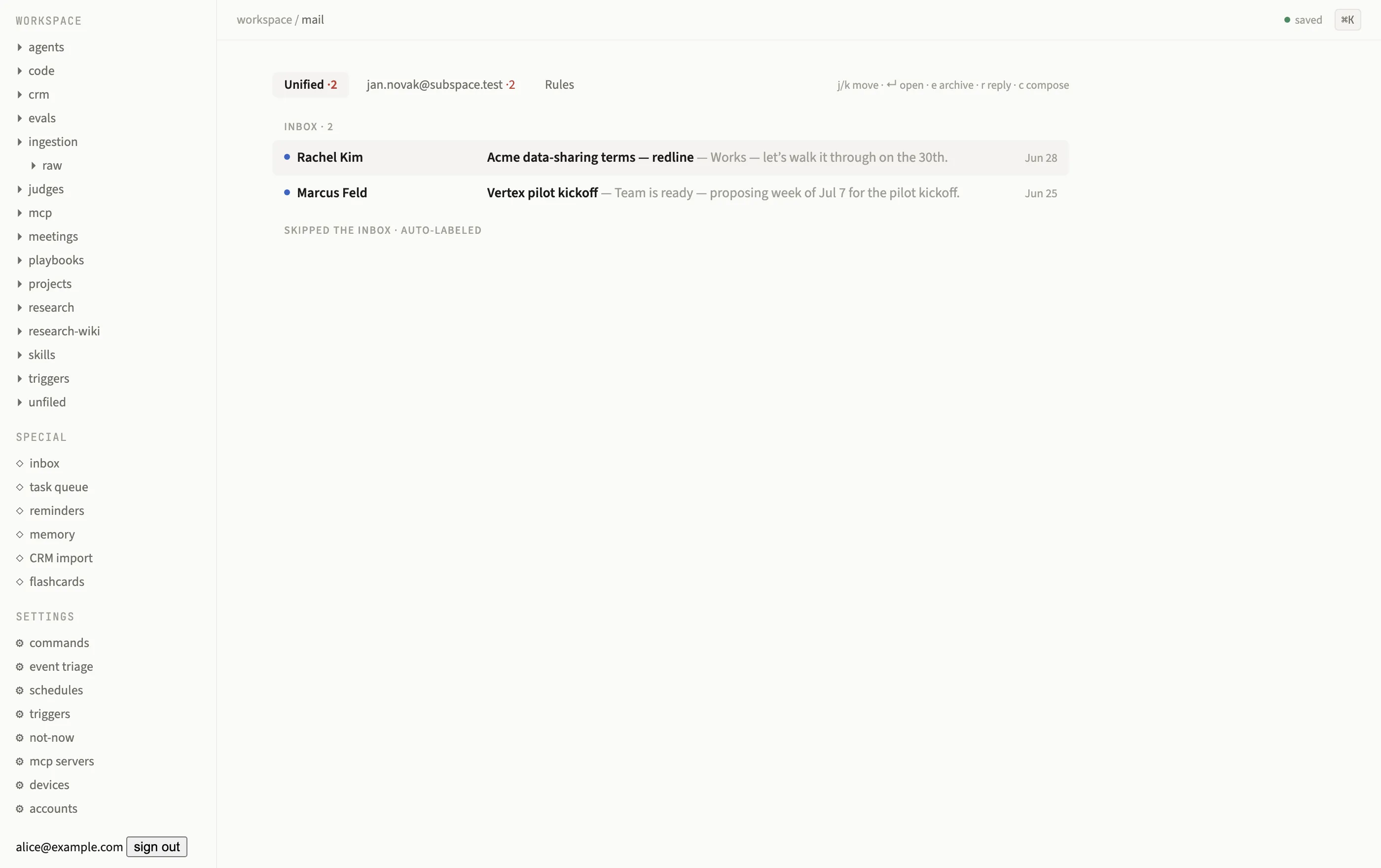
Mail lives in the graph: a unified, keyboard-driven inbox with auto-labeled threads.
Connecting an account
Section titled “Connecting an account”-
Start the OAuth flow
GET /oauth/gmail/start?email=<address>redirects to Google carrying a one-shot CSRFstatenonce (10-minute TTL). -
Grant access
Google’s consent screen always runs with
prompt=consent, so every run mints a grant with the current required scopes, useful when re-connecting an account that predates a new scope. -
Callback completes the account
GET /oauth/gmail/callbackverifies the nonce (403 on a missing or stale one), exchanges the code, creates or updates thecomms.mail_accountsrow, and redirects back to/.
Tokens are encrypted at rest with libsodium-secretbox and stored in ops.secrets under
google.oauth.<email>; the OAuth client id and secret live in the same table, seeded once
from GOOGLE_CLIENT_ID / GOOGLE_CLIENT_SECRET and re-acquired at call time through the
capability broker, so rotating credentials is a row update, not a restart. You can connect
as many accounts as you like; each syncs independently.
How sync works
Section titled “How sync works”The mail sync engine runs one loop per connected account:
- No history watermark yet runs a paged backfill, one Postgres transaction per page, resumable from a stored page token if it’s interrupted midway.
- Once caught up, it polls Gmail’s
users.history.listevery 30 seconds for incremental changes. There’s no public webhook endpoint and no Pub/Sub subscription, polling is the whole mechanism. - A stale watermark (Gmail returns
historyExpiredor a 404) triggers a silent re-backfill rather than surfacing an error.
Every new message commits in a single transaction: the thread row upserts (subject,
snippet, and last-message timestamp follow the newest message), the message row lands in
comms.mail_messages, and an ops.events row of type mail-received fires with
{sender, subject, snippet, accountId, messageId, threadId}. Message bodies are written to
the blob store as a {html, text} JSON blob before the
transaction commits, and attachments land there too, referenced from the message’s headers
as {filename, mime, sha256, size}.
Redelivery is idempotent: a unique constraint on (account_id, provider_message_id) means
a re-synced message is a no-op, not a duplicate.
The deterministic fake
Section titled “The deterministic fake”Under PROVIDERS=fake, an in-memory mailbox mirrors the seeded fixtures exactly, so tests
and demos converge on the same threads every run. It implements the same provider seam as
real Gmail: send, modifyLabels, createLabel, plus test-only hooks (inject,
setLabels, expireHistory) that let a spec push new mail and drive sync deterministically
instead of waiting on a real inbox.
The Mail page
Section titled “The Mail page”The special page at /p/mail opens on a Unified tab plus one tab per connected
account, each showing an unread count badge (·N, counting unread threads currently in
that account’s Inbox). Below the tabs, threads split into two sections:
- Inbox: any message in the thread still carries the
INBOXlabel. - Skipped the inbox: archived mail, and anything a mail rule routed away from the inbox.
Each row shows an unread dot, the sender (resolved to a CRM title when the address matches a known identity, otherwise the display name), subject and snippet, any non-system label chips, and the time.
Keyboard shortcuts
Section titled “Keyboard shortcuts”The whole page is keyboard-driven, Superhuman-style. Shortcuts are scoped to the page and go dead while compose is open or any input is focused.
| Key | Action |
|---|---|
j / k |
Move the selection down / up |
Enter |
Open the selected thread |
u / Esc |
Back to the list |
e |
Archive (the selected row, or the open thread) |
r |
Reply (opens compose prefilled with To, Re: subject, and the thread) |
c |
Blank compose |
Opening a thread marks it read in one transaction (dropping UNREAD locally and emitting
a change-feed row) and mirrors that read state to Gmail best-effort. Archiving drops the
INBOX label the same way, moving the thread to the Skipped section.
Thread view
Section titled “Thread view”The thread view shows the subject, a CRM filing line naming who the thread is filed
under (for example “[[Rachel Kim]] rachel.kim@acme.test · thread of 4 · filed to CRM”,
the bracketed link navigates straight to that CRM page), then one card per
message with attachment chips you can download. If a mail rule has
drafted a reply, it appears here too, as a proposed-reply card awaiting your approval.
Compose
Section titled “Compose”c or r opens the compose modal: To, Cc, Subject, and a rich-text body with a minimal
toolbar (bold, italic, link, list). Attach files through the same upload path as everywhere
else in Subspace; ⌘Enter sends.
On send, the server builds a real MIME message with nodemailer’s MailComposer,
deriving a text alternative from the HTML and setting In-Reply-To / References from the
thread’s last message when it’s a reply. The message goes out through the provider (Gmail’s
raw users.messages.send, or the fake mailbox under test), then Subspace commits its own
copy through the same one-transaction sync path new mail uses, so your sent message shows
up in the thread the moment the next history poll converges over it.
Schedule-send
Section titled “Schedule-send”Pick a future send time and the message doesn’t go out immediately, it’s stored as a scheduled row in the task queue’s Scheduled section instead. The mail engine’s 30-second tick checks for due sends and delivers them, retrying on failure. Compose offers quick presets (tomorrow morning, this afternoon, Monday morning) alongside a custom date and time.
Hostile inbound HTML is sanitized
Section titled “Hostile inbound HTML is sanitized”Inbound mail is untrusted content by default. Bodies pass through server-side sanitization before they ever reach a browser:
- Scripts, event handlers, forms and inputs, iframes, objects, SVG, MathML, and
<style>tags are stripped entirely. - Remote
http(s)images are rewritten to a blocked placeholder and counted rather than loaded;cid:anddata:images are dropped. Links gettarget="_blank" rel="noopener noreferrer".
The sanitized HTML then renders inside a sandboxed <iframe> (allow-popups allow-popups-to-escape-sandbox only, no same-origin, no scripts) via srcdoc, with a
strict Content Security Policy meta tag on top, so even a sanitizer bypass can’t reach the
rest of the page.
A small bar above each message with blocked images reads “N remote images blocked, load.”
Clicking it fetches each image through the server (GET /mail/proxy-image, HTTPS only,
private hosts refused, no credentials forwarded, a 5-second timeout and 10 MB cap) so the
sender never learns your IP or that you opened the message.