

Task queue
The task queue is the other half of the ops spine from the
inbox: where the inbox is where things arrive, /p/task-queue is where
things get done, approvals to grant, questions agents are waiting on, follow-ups to
check off, and a permanent record of everything that already happened.
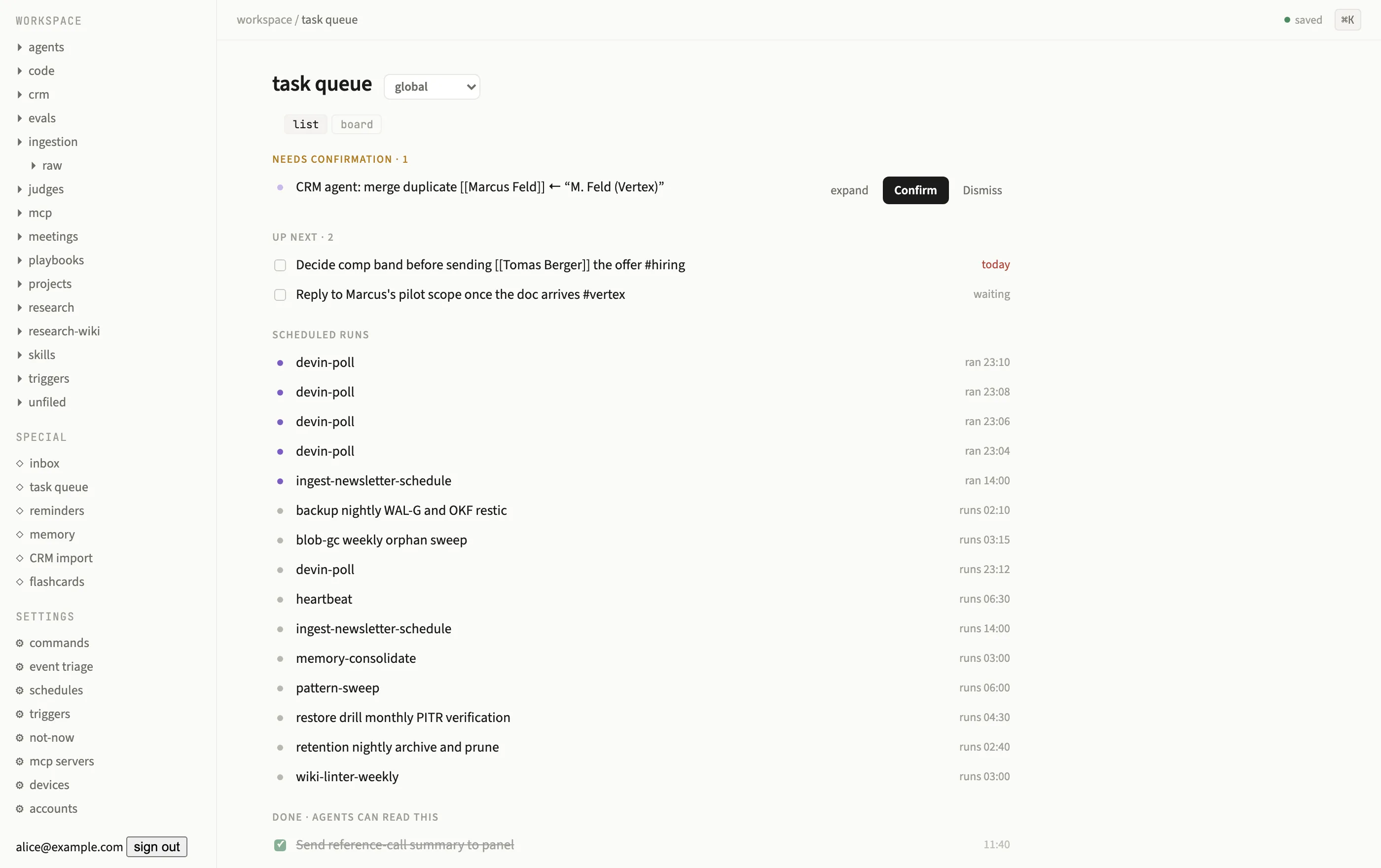
The task queue: an approval card under Needs confirmation, Up next items, and scheduled agent runs.
Sections
Section titled “Sections”The page renders four sections, top to bottom:
| Section | Contents |
|---|---|
| Needs confirmation | Cards that block on a decision: agent tool approvals, an agent’s human.ask question, proposed replies, merge proposals, and similar gated actions. |
| Up next | Plain follow-up tasks, queue-routed triage items and heartbeat suggestions, with a checkbox to complete. |
| Scheduled | Past scheduler runs and upcoming occurrences, read-only. |
| Done | Every resolved card and completed task, permanently. |
A list / board view toggle sits next to the page title. The board lays the same four
sections out as columns; only the Done column accepts drops, dragging a card there
resolves it (a needs-confirmation card as confirm, an up-next task as done), through
the exact same audited path a click would use. Scheduled and Done cards are
informational in both views.
Needs-confirmation cards
Section titled “Needs-confirmation cards”Each card in Needs confirmation shows a title and an expand control that reveals its detail (the specific fields depend on the card’s kind, an approval shows the tool call it gates, a proposed reply shows the drafted text, and so on). Every card resolves through one of two buttons:
- Confirm executes whatever the card was gating (sends the mail, applies the merge, approves the tool call) and moves the card to Done in the same commit as the effect, a failed effect leaves the card pending rather than silently dropping it.
- Dismiss records the decision without executing anything and moves the card to Done.
This is also where agent tool approvals surface: when an agent’s next action is gated by its approval policy, the run pauses and a card appears here. Confirming or dismissing it flips the paused run back to running (or denies the call) in the same transaction as the decision, see Tools & approvals for how the gate itself is decided.
human.ask: agent-initiated questions
Section titled “human.ask: agent-initiated questions”Agents can also ask you something directly with the human.ask tool:
human.ask({ question: "Ship the v2 pricing page today, or hold for legal review?", options: ["Ship today", "Hold for review"], timeout: "2 days", default: "Hold for review",})human.ask is ungated (asking writes nothing to the world, so it never needs its own
approval), and files a needs-confirm card of kind human-question in the same scoped
task queue the run belongs to. options, if given, render as one button per choice; free
text goes through the run’s own thread instead, since the answer nests as a question node
under the tool call in that run’s tree (see Run introspection).
The agent’s workflow suspends durably on that answer, if you pass timeout, an unanswered
question resolves automatically to default (or a generated fallback string) once the
timeout elapses, so a workflow can never hang forever on a question nobody answers. An
answer is data, never permission, it cannot itself approve a separately gated tool call.
Up next and Scheduled
Section titled “Up next and Scheduled”Up next is a plain checklist: click the checkbox to mark a task done. Scheduled shows
both rows already produced by a scheduler fire and, below them, upcoming
occurrences computed live from each schedule’s cron expression, so you can see what is
about to run without opening /settings/schedules.
Done is permanent
Section titled “Done is permanent”Nothing ever leaves Done. Every resolution, confirm, dismiss, or checkbox, lands there with its decision recorded in the card’s payload. Done also doubles as a query API for agents: any agent tool can read the done log (filtered by page and by time) to check what already happened before deciding what to do next, the same log you can scroll in the UI.
The title bar carries a scope selector, global by default, or narrowed to a single
page. A page-scoped queue only shows cards and tasks whose page_id matches, useful for
a project page that accumulates its own approvals and follow-ups separate from the rest
of the workspace.